How can I delete something from the Custom Curriculum?
Deleting custom curriculums from the HomeTrail Website
Last updated Over 1 year ago
At this time, deleting or archiving a custom curriculum item is only available in the web version of HomeTrail, not the app.
To remove or archive an item, follow these steps:
Go to Pathfinder in HomeTrail.
Select the Student(s) whose custom curriculum item you want to manage.
Locate the item under the Custom Curriculum section.
Click on the item to open the popover menu.
Choose an action:
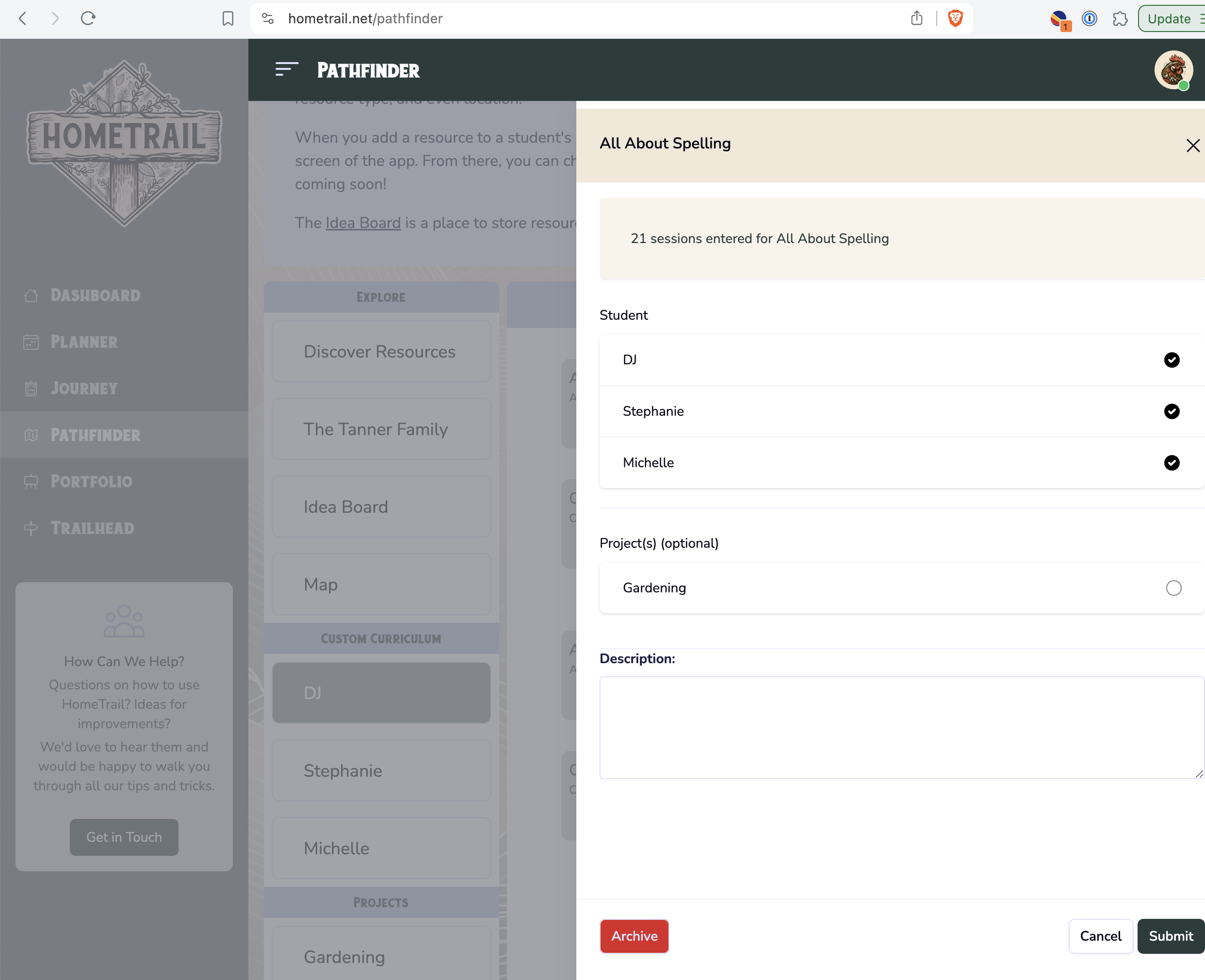
If no sessions have been entered, you can delete the item.
If sessions exist, you’ll have the option to archive it instead.
Refer to the screenshots below for a visual guide.

Was this helpful?
Still need help? Share an idea